
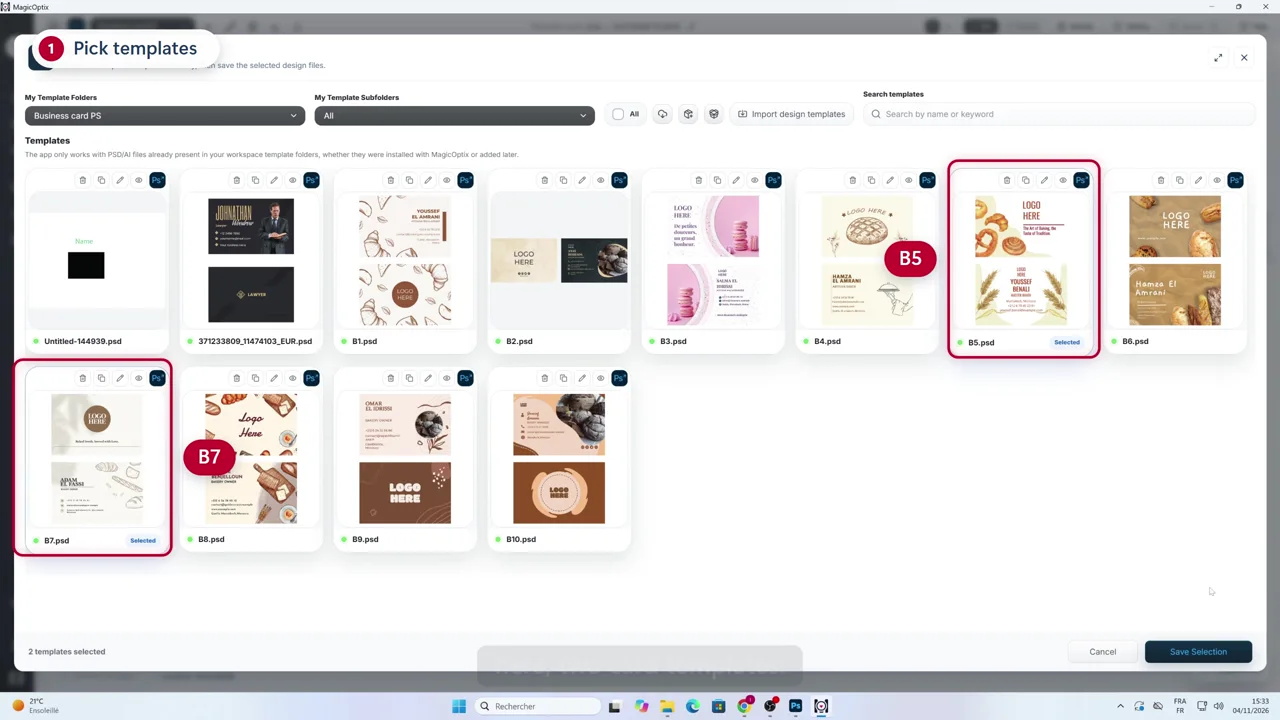
01Select several templates
Choose the templates, import the CSV and check the matched fields.
 Enlarge ⤢
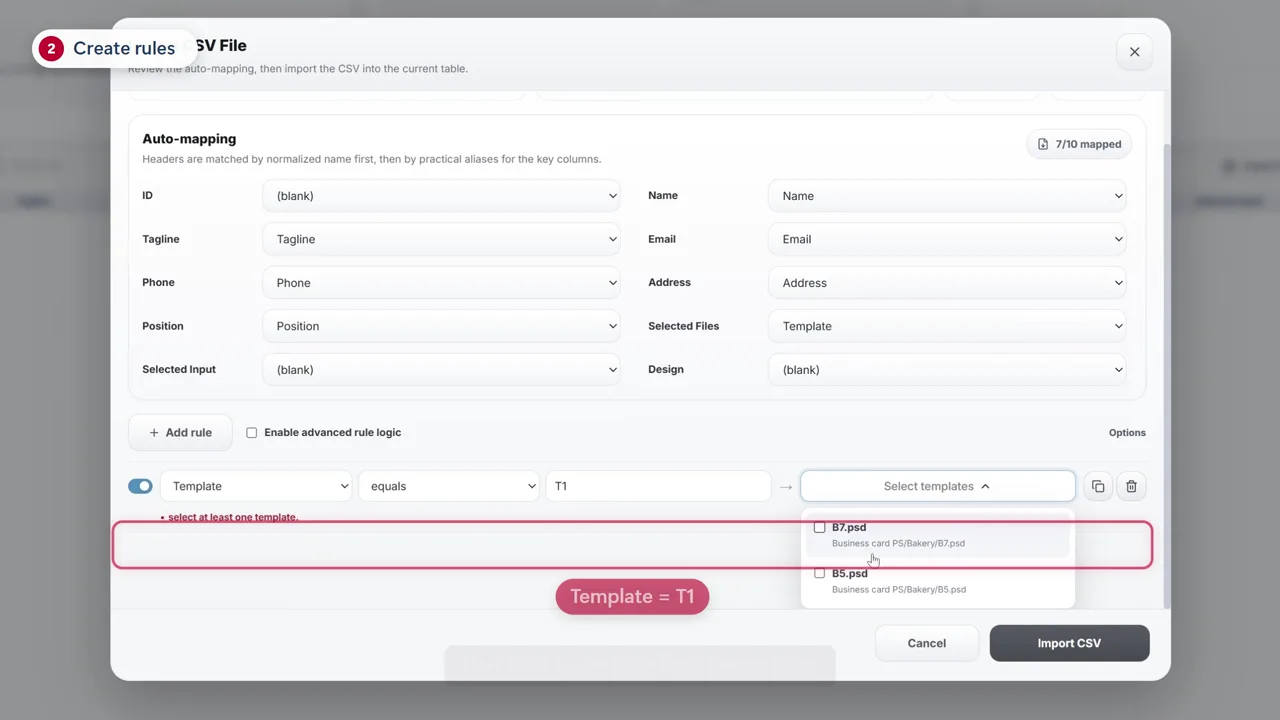
02Define routing rules
Map T1 in the Template column to the first template. Add another rule mapping T2 to the second.
- Routing rule
- A rule picks a template using a value in the row. For example, T1 can select the light card and T2 the dark one. The Template column then controls the layout even if its value never appears on the card.
 Enlarge ⤢
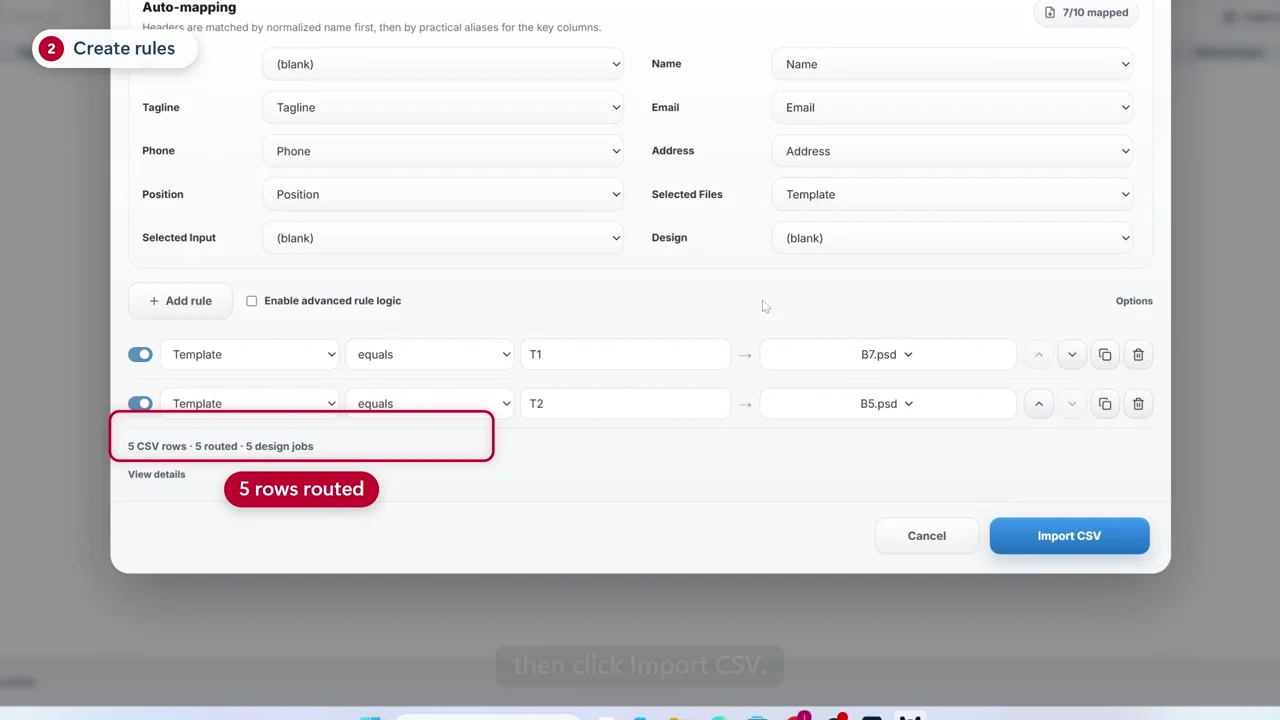
03Verify routing
Check the routed rows in the summary, click Import CSV and run production. Verify each client received the correct template.
- Unmatched row
- If no rule matches, MagicOptix keeps the row’s existing template selection, if it has one. A row with no template produces no card. Check those rows before running the batch.
 Enlarge ⤢