
01Import products
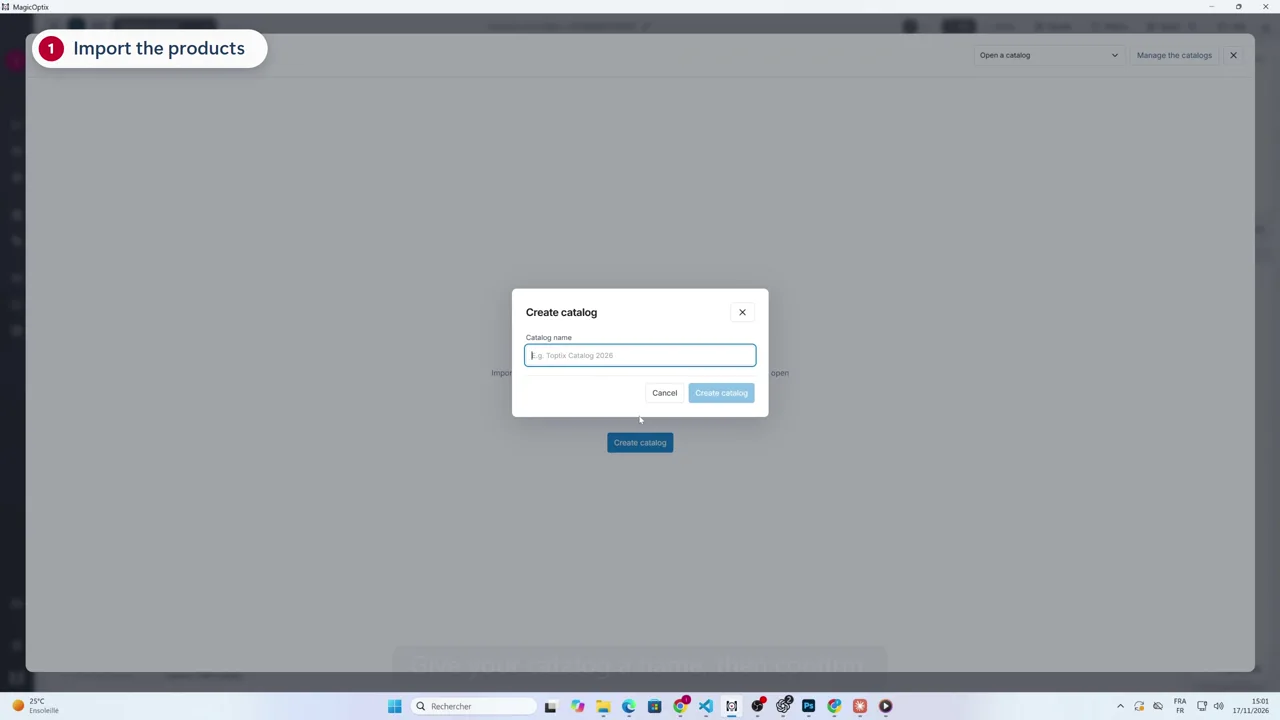
Open Catalog, select Create catalog and name it. Choose your CSV, check the columns and import the products.
 Enlarge ⤢
02Prepare product cards
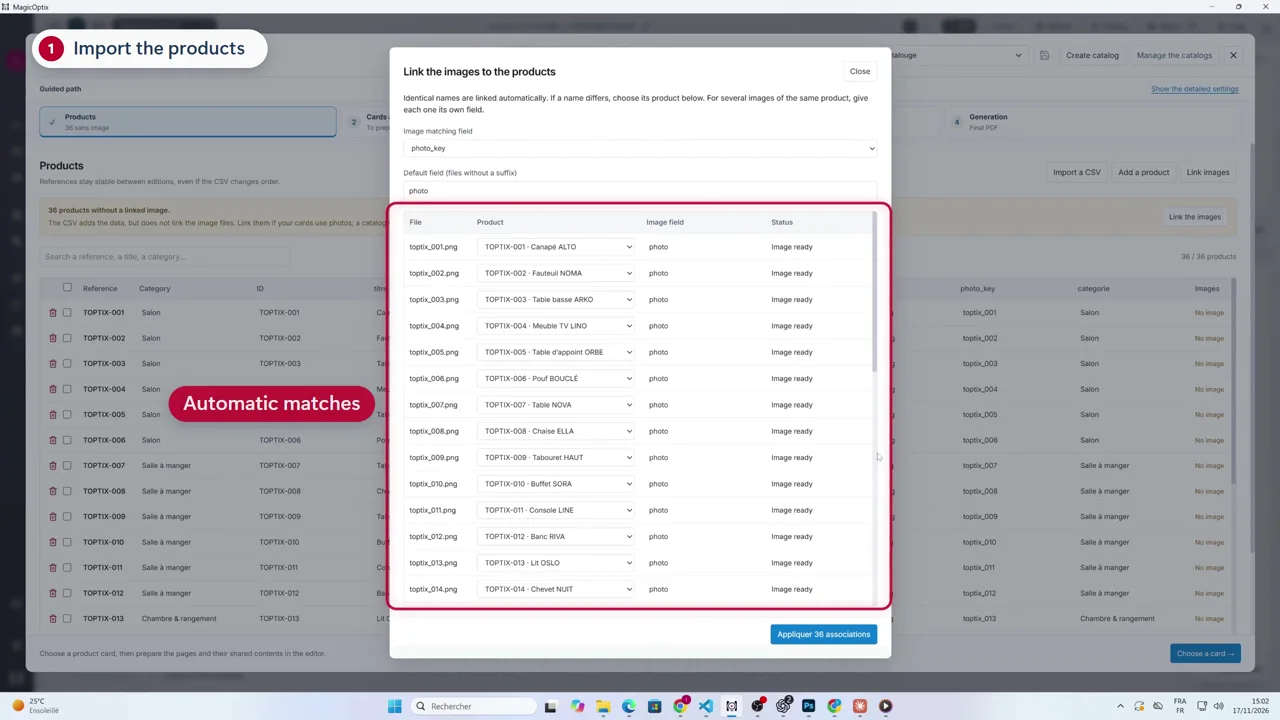
Use Link the images to select the photos and apply the matches. Pick a catalog template, link the fields and adjust the cards.
- Product photo matching
- MagicOptix compares the filename with the product data. If a lamp’s reference is LAMP-042, name its photo LAMP-042.jpg to give the matcher an exact reference.
 Enlarge ⤢
03Assemble the PDF
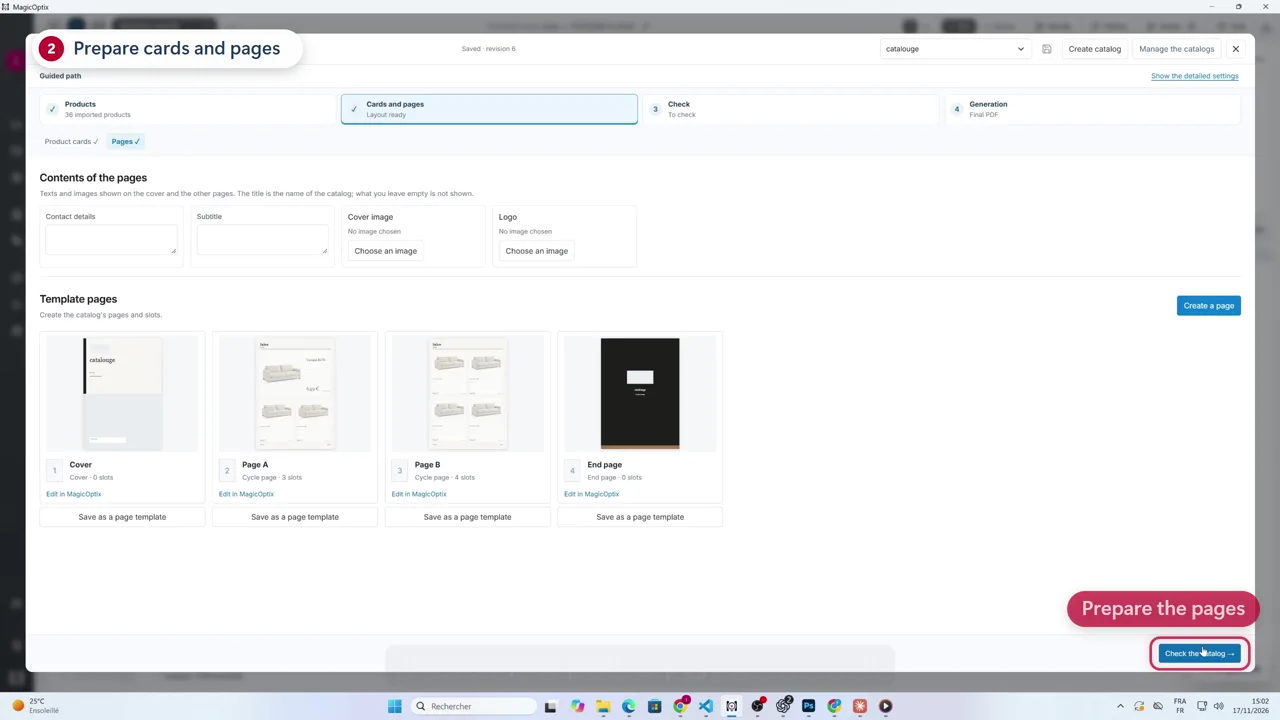
Prepare the cover, product pages and end page. Review each card and page before starting PDF generation.
 Enlarge ⤢