
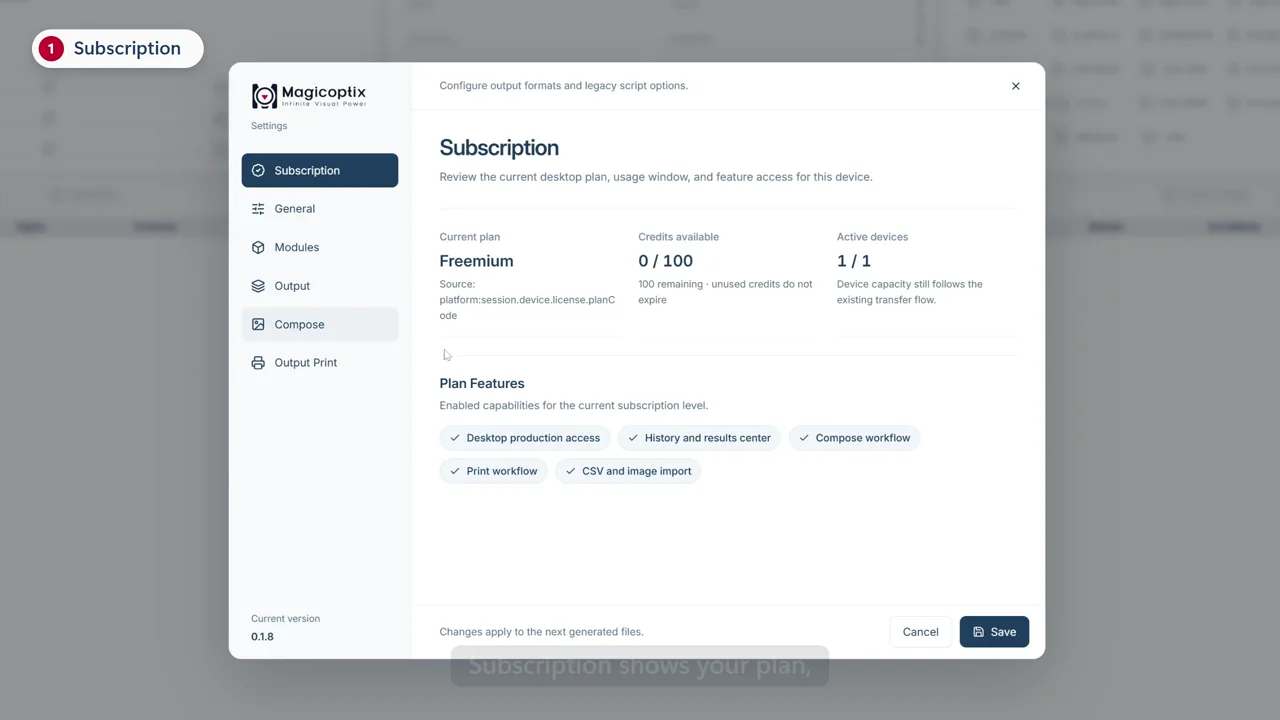
01Review your subscription
Open Settings and choose Subscription to check your plan, credits and active devices.
 Enlarge ⤢
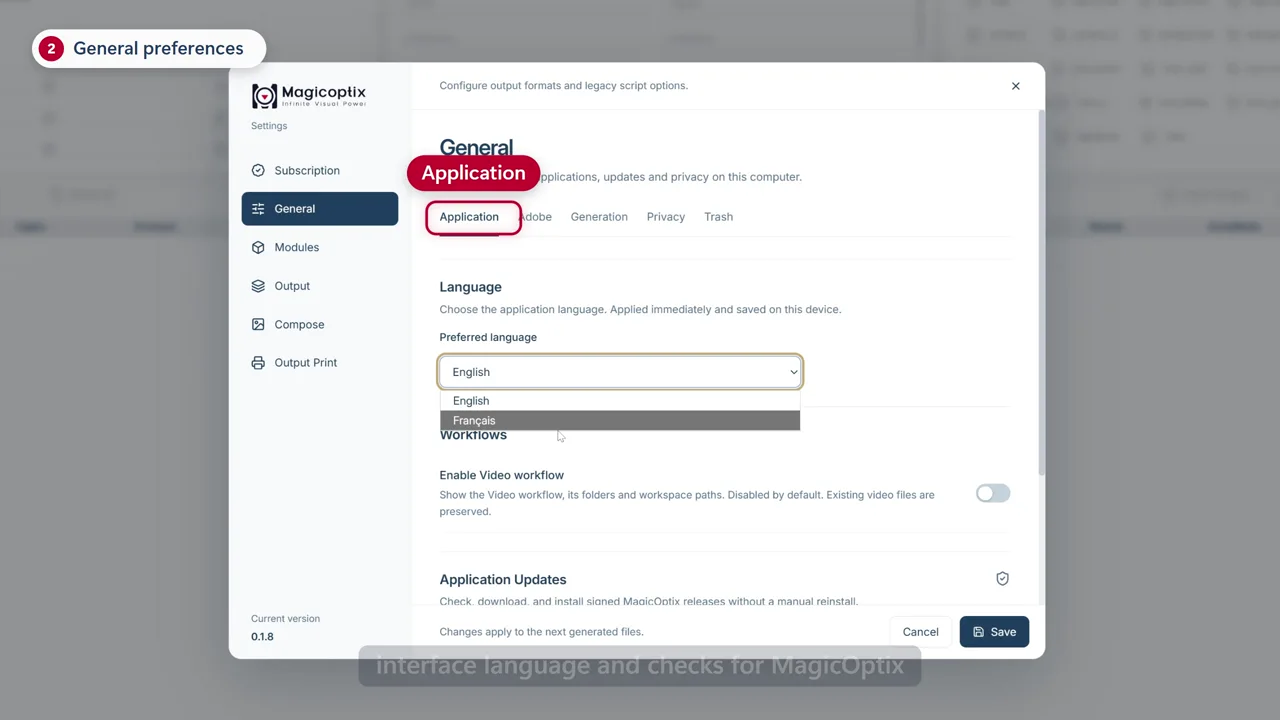
02Set application preferences
In General, choose the interface language and check for updates. Under Adobe, pick the Photoshop and Illustrator versions. Use Generation to configure naming and artboard splitting.
 Enlarge ⤢
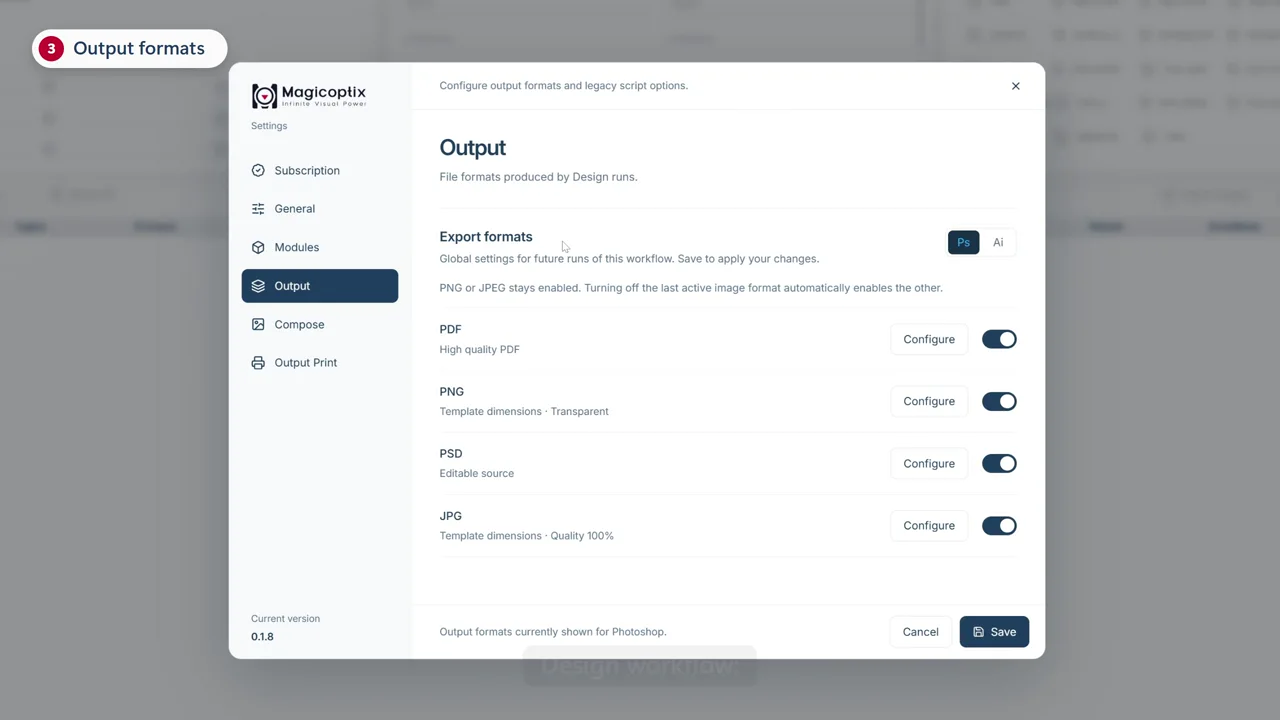
03Save output formats
In Output, choose PDF, PNG, PSD or JPG. Open Configure to adjust a format, confirm with Apply, then click Save.
 Enlarge ⤢